
I have a confession. For years, I thought the best analysis was a detailed spreadsheet. But then, I saw a heatmap for the first time.
It was like switching from a black-and-white TV to 4K HDR in the middle of Inception. Suddenly, everything made sense.
This isn’t just about making pretty pictures. Sports data visualization is about making smart decisions. It takes the messy flow of numbers and odds and turns it into something you can understand quickly.
Imagine the difference between reading a weather report and watching a Doppler radar loop. One tells you what’s happening. The other gives you instinct.
Our brains love patterns. A good odds movement chart or heatmap uses that to our advantage. It turns slow number-checking into a fast, strategic move.
In today’s fast markets, this edge is everything. It’s not just an advantage. It’s the whole game. This is how we turn information into a winning strategy.
Chart types for bettors time series line moves ladder plots histograms boxplots
Choosing a chart for betting analysis is not just about looks. It’s about picking the right tool for a statistical battle. The wrong chart can leave you in the dark. But the right one can reveal the market’s secrets.
Each chart type acts like a special lens. A wide-angle lens shows the big picture of a season. A zoom lens focuses on small changes in odds. You need to pick the right tool for your question.
The classic chart is a simple line showing odds changes over time. But in skilled hands, it tells a story. A sharp drop in odds can mean smart money is betting on a side. A sudden spike can show the market thinks the public is wrong.
Plotting multiple lines for different books on one chart is like watching a race in slow motion. You see which book moves first and which is different. It shows the market’s pulse, and tools like matplotlib or ggplot make it easy to create.
Ladder Plots: The Architecture of Price Discovery
Ladder plots show the market’s skeleton, like a price action chart. They display the opening, closing, high, and low odds for a period. Each “ladder” captures market emotions.
They show where the price started, where it was challenged, and where it ended. A long upper wick means buyers pushed the price up, but sellers brought it back down. It’s like looking at the market’s blueprint, showing resistance and support.
Histograms: The Distribution Detective
Histograms help you understand if your data is normal or if something unusual is hiding. They group your data into ranges and show how often each range occurs. They answer the question: “What’s the most common outcome?”
You might see a bell curve, but often, you’ll see skew. A long tail on a points total histogram means a game could turn into a shootout. This is where you spot “fat tails” before they surprise you. Seaborn makes creating these charts easy and informative.
Boxplots: The Outlier Spotter
Boxplots give you a quick summary of your data. They show the median, quartiles, and outliers. Imagine plotting the closing odds for an NFL favorite across 100 simulations.
The box shows the middle 50% of the data. The “whiskers” show the normal range. Then, there are those dots far away. Those are the unusual scenarios. A boxplot quickly tells you if the current price is normal or if it’s an outlier.
| Chart Type | Best For Answering | Tool Example |
|---|---|---|
| Time Series Line | “How has momentum shifted in the last 24 hours?” | Matplotlib, ggplot |
| Ladder Plot | “Where did the price face buying/selling pressure?” | Custom matplotlib scripts |
| Histogram | “What is the most probable range of outcomes?” | Seaborn |
| Boxplot | “Is this current odds value an outlier?” | Seaborn, ggplot |
Using a histogram for a time series is like using a hammer for a lightbulb. It works, but it’s not the best way. Each chart has its own purpose.
The line chart shows trends. Ladder plots show price action. Histograms and boxplots show distribution. Knowing which chart to use gives you an edge. Start with your question, then choose your chart.
Heatmaps for matchup features pace vs defense shot locations weather vs totals
Forget static numbers. Heatmaps are like neon signs that show value in sports betting. A line chart tells a story over time. A bar graph compares totals. But a heatmap paints the entire battlefield in color.
It shows where the action is, where weaknesses are, and where opportunities are. This is sports data visualization at its most intuitive and powerful.
Let’s break down three matchup features where heatmaps can lead to profit.
You know Team A has a slow defense. You know Player B has blistering pace. But a heatmap shows you where that mismatch turns into a goal. It turns a generic weakness into a specific spot.
Imagine a searing red zone on the left flank of a soccer pitch. The defensive heatmap shows constant traffic there. Now, overlay the attacking heatmap of a right-winger who lives on the touchline. The overlap isn’t just data. It’s a flashing arrow saying, “Exploit here.”
Shot Location Heatmaps: The Topography of Danger
Expected Goals (xG) is useful. But a shot location heatmap shows the reason behind the number. It’s a topographic map of threat.
Dark red clusters in the six-yard box? That’s high-probability gold. A smattering of light blue from 30 yards out? Low-percentage prayers.
This visualization lets you see if a team’s xG is built on volume or quality. Are they creating a few high-danger chances or peppering the goal from bad angles? For a bettor, this is key. It tells you if a team is due for regression or if their scoring is sustainable.
Weather vs. Totals: Betting on Behavior, Not Precipitation
Rain affects games. But how? A weather vs. totals heatmap is your answer. Plot historical precipitation levels against the final point totals in those games. You might see a clear pattern: heavy rain correlates with a cluster of low-scoring outcomes.
Suddenly, you’re not just guessing that rain hurts offense. You have a visual confirmation of the behavioral pattern. You see the threshold—maybe games with over 2 inches of rain dip below the total 80% of the time. This isn’t meteorology. It’s behavioral economics painted in warm and cool colors.
| Heatmap Type | Core Data Input | Primary Insight Revealed | Direct Betting Application |
|---|---|---|---|
| Pace vs. Defense | Player tracking speed, defensive positioning coordinates | Spatial vulnerabilities in a defense against specific player types | Player prop bets (assists, shots), team corner counts, side-of-field attacks |
| Shot Locations | Coordinate of every shot, xG value per shot | Quality versus quantity of scoring chances; offensive tendency maps | Team totals (Over/Under), moneyline value on efficient underdogs |
| Weather vs. Totals | Historical weather data (precipitation, wind), game totals | How environmental factors directly influence scoring behavior | Game total (Over/Under) bets, live betting adjustments during weather shifts |
The power of these heatmaps is synthesis. They don’t show one thing. They show the relationship between things. Pace meeting defense. Shot location meeting probability. Weather meeting human performance.
Reading them is a skill. Red doesn’t just mean “more.” It means “focus here.” It means “this is where the narrative of the game is being written.” Master this, and you move from reading stats to reading the game’s DNA. That’s the visual edge.
Distribution diagnostics kernel density QQ plots and fat tails
To grasp your betting edge, you must dissect your data’s distribution. This journey transforms you from a casual observer to a data detective. Charts reveal what happened. Distribution diagnostics reveal why it happened and what’s next.
Think of it as a three-part medical exam for your numbers. First, the MRI: a kernel density plot. Second, the blood test: a QQ plot. Third, the diagnosis: an assessment for fat tails. Missing any one is like betting blind.
The MRI Scan: Kernel Density Plots
Histograms are useful but rough. They show counts in bins, like a pixelated photo. A kernel density plot is the high-resolution version. It smooths out those jagged edges to reveal the underlying shape of your data.
Imagine plotting the movement of a point spread over the 24 hours before kickoff. A histogram might show clumps. The kernel density plot reveals the smooth, continuous flow of money and sentiment. Was the move a gentle drift or a violent spike? This plot shows the true narrative. It’s your first clue in diagnosing market behavior.
The Reality Check: QQ Plots
Next up, the Quantile-Quantile plot. This is the test for normality. It asks your data a simple, brutal question: “Are you who you pretend to be?” It plots your dataset’s quantiles against a theoretical normal distribution’s quantiles.
If your data is well-behaved and normal, the points form a straight line. In the chaotic world of sports? They rarely are. The line bends, curves, and veers off. That deviation is your goldmine. It tells you your data is skewed, has outliers, or follows a different rulebook entirely. Betting markets are emotional, driven by news and public perception. Normality is their boring cousin.
The Critical Diagnosis: Hunting for Fat Tails
This is where the real money hides. In a normal “bell curve” world, extreme events are so rare they’re almost mythical. In betting, they’re Tuesday. Fat tails are the statistical signature of Black Swan events.
Think Leicester City winning the Premier League at 5000-1 odds. Or an NFL team overcoming a 28-3 deficit in the Super Bowl. These aren’t flukes in a betting context; they’re inherent to the game’s high-variance nature. A distribution with fat tails means extreme outcomes occur far more frequently than a standard model predicts.
If your data has fat tails, you’re not playing a game of gradual, compounding edges. You’re in a carnival of variance, where you bet on lightning strikes and guard against tsunamis. Diagnosing this changes everything.
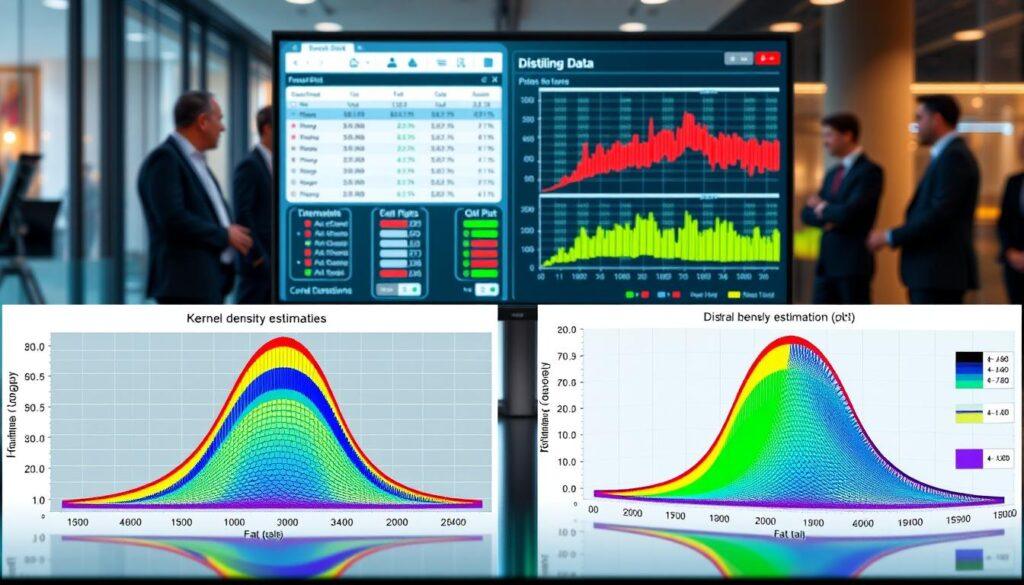
So, how do these tools fit together? The table below is your quick-reference guide to the diagnostic suite.
| Diagnostic Tool | What It Reveals | When To Use It | The Key Insight |
|---|---|---|---|
| Kernel Density Plot | The smooth, continuous shape of a data distribution, beyond binned histograms. | Analyzing the flow of odds movement charts over time, or understanding the central tendency of a team’s scoring margin. | Is the market moving in a predictable wave, or is it chaotic and spiky? |
| QQ Plot (Quantile-Quantile) | How your data’s distribution deviates from a theoretical normal distribution. | Validating statistical model assumptions, or checking if your “edge” is based on normal data in a non-normal world. | Your betting data is almost certain to not be normal. Embrace the skew. |
| Fat Tail Analysis | The frequency and impact of extreme, outlier events in your dataset. | Assessing bankroll risk for long-shot bets, or evaluating the true volatility of a market. | The game is defined by rare, extreme events. Plan for them, or be planed by them. |
Executing these diagnostics is straightforward with modern libraries. In Python, seaborn and matplotlib make creating kernel density and QQ plots a matter of a few lines of code. In R, ggplot2 provides similar, elegant capabilities. The code isn’t the barrier. The interpretation is.
Mastering these plots transforms you from someone who sees data to someone who understands its character. Is your chosen sport a subtle chess match of small edges? Or a volatile poker game where survival depends on managing catastrophic risk? Your distribution diagnostics hold the answer. Don’t just chart the game. Diagnose it.
Multi book comparison and spread matrices books vs time vs price
The spread matrix is your control panel for spotting arbitrage. It turns a dozen browser tabs into a single, dynamic dashboard. Imagine comparing airfares across multiple sites, watching prices flicker and change. Now, imagine the stakes are your bankroll, and the departure time is tip-off.
Manually refreshing odds across FanDuel, DraftKings, BetMGM, and others is a recipe for missing the moment. Value doesn’t just appear; it pulses. It drifts. It screams for attention in one corner of the market while sitting dormant in another. A static list of numbers can’t capture that rhythm.
Enter the spread matrix. This is a specific type of heatmap where one axis represents time, another axis lists the bookmakers, and the color in each cell encodes the current price or spread.
Suddenly, you’re not just reading numbers. You’re reading the market’s body language. A column of deepening red shows a book where the price is steadily dropping. A single bright green cell in a row of red is an outlier—a book holding a line while others move. That’s your signal.
This visualization of market inefficiency turns chaos into a symphony. You see consensus forming. You see deviation screaming. More importantly, you see steam moves—those sudden, coordinated waves of heavy betting that hit across multiple books and shift lines. As noted in research on market sentiment vs. odds movement, overlaying public money percentage with actual odds movement on a shared axis reveals these precise moments.
Your spread matrix makes that overlay intuitive. The color gradient tells you the “what,” and the timing tells you the “when.”
How to Read the Matrix
Think of it as a battlefield map. Your books are along the top. Time ticks down the side.
- Vertical Patterns: Look down a book’s column. A smooth gradient from blue to red indicates steady, consensus-driven line movement.
- Horizontal Patterns: Look across a time slice. A row with one starkly different color is a massive outlier. That’s your possible edge.
- Diagonal Patterns: A band of color moving across books over time is a steam move rolling through the market. You can see which book reacted first and which held out.
It answers the critical question: Is this line move an isolated incident, or is the entire market shifting?
| Visualization Method | Best For | Complexity | Key Insight Provided |
|---|---|---|---|
| Multi-Line Chart | Tracking 2-3 book trends over long periods | Low | Directional momentum for specific books |
| Snapshot Comparison Table | Getting the absolute best price at this very second | Low | Static price disparities |
| Basic Heatmap (Books vs. Price) | Seeing all book prices for one moment in time | Medium | Price distribution and clear outliers |
| Spread Matrix (Books vs. Time) | Understanding market dynamics and spotting steam | High | Temporal arbitrage and sentiment waves |
Building these matrices used to require coding chops. Now, tools like plotly dashboards make it accessible. You can create interactive versions where hovering over a cell reveals the exact odds and time. You can filter by sport, market, or time window.
The real power? It externalizes the market’s collective psyche. That “gut feeling” about line movement becomes a visual fact. You’re no longer guessing if a line is “soft.” You can see its exact texture and duration across the entire landscape.
So, stop tab-juggling. Start matrix-reading. It’s the difference between hearing a single note and understanding the entire composition of the betting market. And for building your own, beginning with plotly dashboards and heatmaps is the fastest route from data chaos to actionable clarity.
Interactive dashboards plotly dash streamlit and BI tools tips
Switching from static reports to interactive dashboards is like moving from a telescope to a starship cockpit. You’re no longer just watching the market; you’re flying through it. Static charts are for history books. Without interactive tools, you’re lost in a storm with a paper map.
Tools like Plotly Dash and Streamlit turn Python scripts into dynamic control rooms. This is where sports data visualization moves from reporting to command and control. Click on a team in a heatmap to filter a parallel odds movement chart. Hover over a spike in a time series to see the news event that caused it.
For internal analytics, teams often use BI tools like Power BI or Tableau. They offer drag-and-drop power for quick insights. But the real magic for a bettor? Custom-built plotly dashboards and Streamlit apps that push data via WebSocket connections.
This means your visuals update in real-time without a manual refresh. You see sharp money movement or liability spikes as they happen. It’s the difference between reading yesterday’s news and having a live wire into the market’s pulse.
Design is everything. I live by the ‘three-second rule’ for glanceability. Your most critical alert—a massive liability spike, a line move from a sharp book—must dominate the visual hierarchy. Arrange your widgets so your eye is trained to go there first.
Your dashboard shouldn’t just show data. It should scream, whisper, and point at exactly what you need to know, right now. This level of interactive control is what separates hobbyists from professionals using a serious betting software stack.
Building these interactive dashboards requires a shift in thinking. You’re not creating a report; you’re engineering a decision-making interface. Whether you choose the coding flexibility of Streamlit or the polished components of Plotly Dash, the goal is the same: transform raw data into actionable, real-time insight.
Color choices and accessibility avoiding misreads encoding uncertainty
In the world of odds movement charts, color is key. It tells a story without words. If it’s unclear, your advantage is lost.
Think about how traders use colors. Red means markets are paused, yellow for drifting, and green for stability. This makes charts easy to read like a traffic light. But, if you use green for losses and red for gains, it’s confusing. It’s like a stop sign that means “go.”
But there’s more to it than just following rules. It’s about how our brains work. That nice red-green heatmap you made? It’s hard for about 8% of men to see. To fix this, use colors that everyone can see.
Tools like seaborn, matplotlib, and ggplot offer these colors. Try ‘viridis’ or ‘plasma’ for charts that everyone can understand. Good design means everyone can see the data.
Colors should mean something, not just look nice. Use hue for different things (like sportsbooks). Use saturation to show how sure you are. A light blue might say “low chance, not sure.” A bright blue says “low chance, but we’re sure.”
The table below helps you choose the right colors for odds movement charts.
| Palette Name | Type | Colorblind-Friendly? | Best Use Case | Library Availability |
|---|---|---|---|---|
| Viridis | Sequential | Yes | Heatmaps, probability gradients | seaborn, matplotlib, ggplot |
| Plasma | Sequential | Yes | Highlighting extreme values in line moves | seaborn, matplotlib, ggplot |
| Set2 | Categorical | Moderate | Comparing multiple books or teams | seaborn, ggplot |
| Tab20c | Categorical | Good | Complex multi-book dashboards | seaborn, matplotlib |
| Custom (R/Y/G) | Categorical | No | Traditional market status only (use with caution) | All (manual setup) |
Don’t use colors that are too similar. Two blues might look the same to you but not to others. Always check your charts in black and white. If they don’t make sense, your colors are wrong.
Color is powerful but can also confuse. Use it to make your data clear, from solid facts to doubts. A chart that everyone can see is one that convinces everyone.
Telling a story annotations event markers injuries travel back to back
The most powerful visualizations don’t just show what happened; they whisper why. A line chart of closing odds is interesting. But add “Star QB ruled out,” “Cross-country travel on short rest,” “Monsoon conditions declared” markers, and it becomes a timeline of events. You see the exact moment the market reacted to news.
Data without a story is just a pretty picture. Annotations are your director’s cut. They add human insight to computer data. Think about injuries, tough travel, or back-to-back games. These aren’t just data points; they are plot twists.
So, how do you build this narrative? We add signposts. Use a bold vertical line for a key injury. Drop a text box to explain a strategic shift. Shade a period to highlight a coaching decision.
The goal is to answer “what does that mean for what happens next?” It’s the difference between a surveillance photo and a documentary with a Pulitzer-winning voiceover.
Consider the insight: “Football isn’t just about goals — it’s about space… Every attack builds a story of movement.” Your heatmap might show that space. An annotation tells you why it opened up—a marker for a key defender’s cramp at the 70th minute turns a pattern into a cause. This transforms your visual from a diagnostic tool into a predictive one.
Mastering this narrative layer is what separates casual chart-makers from true analysts. It’s where sports data visualization earns its keep, moving from showing historical facts to illuminating future probabilities. Your charts should tell a story worth betting on.
Template gallery ready to copy code for three common visuals
Enough theory—let’s get our hands dirty with code you can copy, paste, and customize right now. This section is like the IKEA flat-pack of betting visuals. You get all the pieces, the instructions, and even the little Allen wrench.
I’m open-sourcing my toolkit. An edge shared is an edge multiplied. Just don’t share it with the person betting against you.
Below are three battle-tested templates. Each is commented, explaining what each block does. You’ll see where to swap in your data API. The friction between having an idea and creating the visual? Gone.
This Python script uses seaborn and matplotlib to plot odds movement charts across multiple sportsbooks. It’s perfect for spotting which book is slow to move.
What it does: Fetches mock time-series odds data, applies a custom color palette for clarity, and adds smart annotations for key market shifts.
Copy this code block:
# Import the usual suspects
import pandas as pd
import matplotlib.pyplot as plt
import seaborn as sns

# SETUP: Create a mock dataframe 'df_odds' with columns: 'timestamp', 'book', 'odds'
# YOUR DATA GOES HERE - swap with your API call

# Create the multi-line plot
sns.set_style("whitegrid")
fig, ax = plt.subplots(figsize=(12,6))
sns.lineplot(data=df_odds, x='timestamp', y='odds', hue='book',
palette="husl", linewidth=2.5, ax=ax)

# Annotate a major line move
ax.annotate('Sharp Money Hits', xy=(target_time, target_odds),
xytext=(text_x, text_y),
arrowprops=dict(facecolor='black', shrink=0.05))

plt.title('Odds Movement Across Books', fontsize=16)
plt.xlabel('Time')
plt.ylabel('Decimal Odds')
plt.legend(title='Sportsbook')
plt.tight_layout()
plt.show()
Customization Tip: Replace the mock data frame with a function that pulls from your odds feed. The palette=”husl” ensures books are visually distinct.
Template 2: The Shot Location Heatmap (R with ggplot2)
For basketball or soccer analysts, a shot chart is non-negotiable. This ggplot2 template creates a publication-quality heatmap. It even layers expected goal (xG) contours.
What it does: Takes spatial coordinate data, calculates density, and maps it to a court or pitch. The contours show high-value zones.
Copy this code block:
library(ggplot2)
library(viridis)

# DATA: Your dataframe 'shot_data' needs 'x_coord', 'y_coord', 'made_flag'
# YOUR DATA GOES HERE - map your play-by-play feed

# Create the base heatmap
heatmap_plot
Customization Tip: The viridis palette is colorblind-friendly. Swap theme_void() for theme_minimal() if you want axis guides.
Template 3: The Live Dashboard Skeleton (Plotly Dash)
Want to monitor line moves in real time? This skeleton builds a simple, interactive dashboard. It plots a time series and updates via a mock data stream.
What it does: Sets up a basic Dash app with a graph component that refreshes. It’s your launchpad for live monitoring.
Copy this code block:
import dash
from dash import dcc, html
from dash.dependencies import Input, Output
import plotly.graph_objs as go
import pandas as pd

app = dash.Dash(__name__)

app.layout = html.Div([
html.H4("Live Odds Movement Dashboard"),
dcc.Graph(id='live-odds-graph'),
dcc.Interval(
id='interval-component',
interval=2000, # Update every 2 seconds
n_intervals=0
)
])

@app.callback(
Output('live-odds-graph', 'figure'),
[Input('interval-component', 'n_intervals')]
)
def update_graph_live(n):
# DATA FETCH: Replace with your live data pipeline
df = get_live_odds_data() # Your function here

# Create the figure
fig = go.Figure(data=[
go.Scatter(
x=df['time'],
y=df['odds'],
mode='lines+markers',
name='Live Odds'
)
])
fig.update_layout(title="Streaming Odds", xaxis_title="Time", yaxis_title="Price")
return fig

if __name__ == '__main__':
app.run_server(debug=True)
Customization Tip: The magic happens in the get_live_odds_data() function. Hook it up to a WebSocket or a fast API.
| Template | Language & Tools | Best For | Data Input Format | Customization Level |
|---|---|---|---|---|
| Multi-Book Odds Tracker | Python, seaborn, matplotlib | Tracking odds movement charts across books over time | Time-series CSV or Pandas DataFrame | High (colors, annotations, style) |
| Shot Location Heatmap | R, ggplot2, viridis | Visualizing spatial density and scoring zones | Coordinate data (x, y) with outcome flag | Medium (court overlay, palette, contours) |
| Live Dashboard Skeleton | Python, Plotly Dash | Real-time monitoring and interactive reporting | Streaming API or frequent database polls | Very High (entire data pipeline and UI) |
These templates are your starting blocks. The real art is in the customization—connecting them to your data, adjusting the aesthetics to tell your story, and interpreting what they reveal.
Copy them. Break them. Rebuild them. That’s how you move from following instructions to writing your own.
Reporting cadence pregame preview live monitoring postgame review
The final piece is rhythm. A brilliant visual created after the whistle is a postcard from a battle you already lost. The professional edge comes from a disciplined reporting cadence.
Your pregame preview is a dashboard of key visuals. Think head-to-head heatmaps, distribution plots of historical totals, and matrices of opening lines across books. This sets your baseline expectations before a single play.
Live monitoring requires a separate, stripped-down cockpit. A real-time plotly dashboard focused on momentum indicators is essential. Track a live win probability chart, a heatmap of betting volume, and set alerts for odds movements that scream “sharp action.” This is where you manage liability.
The postgame review brings it all together. Annotate your live charts with key plays. Compare your pregame expected value heatmap with the actual shot location data. Ask where your model failed and the market was right.
This cycle of preview, monitor, and review turns visualization from a one-off analysis into a continuous feedback loop. It’s the difference between being a tourist with a camera and a cartographer mapping uncharted territory. Your plotly dashboards and heatmaps become living documents, sharpening your edge with every game.